
Hola!
Implement Azure Mobile Engagement is based on 4 simple steps
- Create your Azure application and build your connection string
- Add the NuGet package to your application (if Windows 10 Universal, here’s the hack)
- Initialize the listener at the beginning of the app
- Change the inheritance in your Page views by Microsoft.Azure.Engagement.EngagementPage
This last step is perhaps the one I don’t like much. Especially if you have an app which is based with some weird inheritage, as for example if you use MVVM or any other implementation for your pages.
In one of my current apps, a small piece of the app is managed with User Controls which are dynamically loaded. Right now the current version of the SDK, don’t have a specific type for Microsoft.Azure.Engagement.UserControl to change the current User Control.
That doesn’t mean that after applying a few changes we can have an application sending information of activities each time that a user control is loaded. (This video has accelerated the speed to show changes as the reflex console each time that dynamically loads a User Control in a Grid)
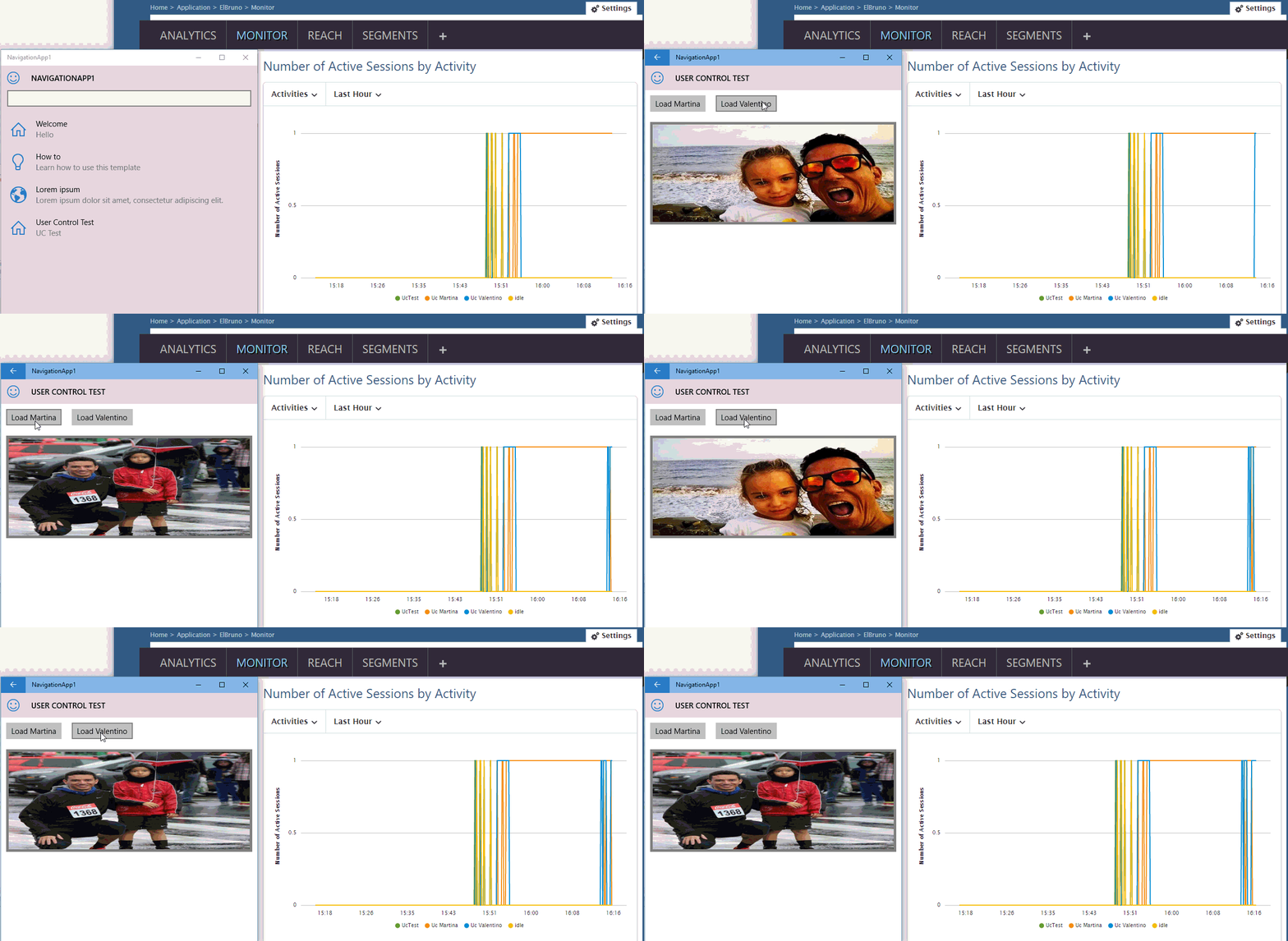
As you can see in the video above, the 2 top buttons dynamically loaded User Control into a Grid. The code is pretty simple:

Well, the theme was now on how implementing the system of notifications of a Page in a User Control. I use reflector to get some source code of the Assembly Microsoft.Azure.MobileEngagement, I found this:
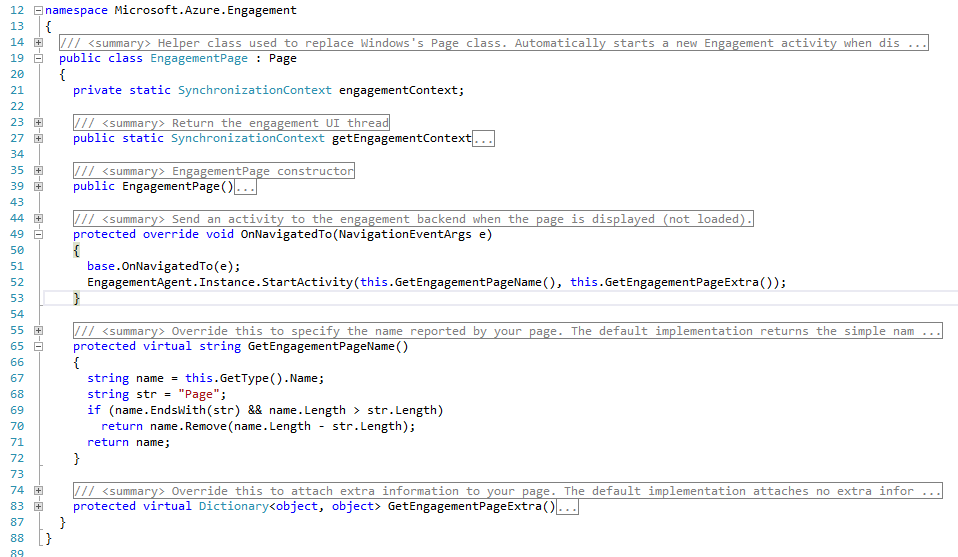
The interesting line is 29, where we can see that you calling StartActivity() with the name of the page to notify the navigation to it.
Well, the only changes we need to do for an UserControl, is to call StartActivity() in the Loaded event.

And That’s It! Our User Controls can now be treated as activities in Azure Mobile Engagement..
Saludos @ Madrid
/El Bruno
References
– Azure Mobile Engagement Overview
– NuGet Microsoft Azure Mobile Engagement
– El Bruno How to User Azure Mobile Engagement in Windows 10 Universal Apps
– Imagen https://en.wikipedia.org/wiki/Rugby_union_in_Argentina
 El Bruno
Leave a comment