Hola!
I get this from my draft post so I can write a series of posts related to Bluetooth Low Energy and Windows Universal Apps. When you create Windows Universal Apps for Windows 10, you can deploy and use them in any kind of Windows 10 device (laptop, pc, phone, etc.).
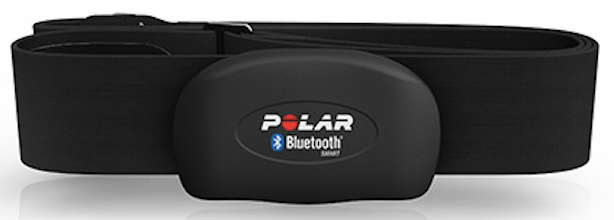
As an starting example, I’ll write a sample post on how to get heart rate information from a heart rate sensor. For this sample, I’ll use the heart rate band included with my Polar M400 (this is a smartwatch I use for running) Even if the user manual does not go deeply in the documentation, you can easily get that this is a Bluetooth Low Energy device.
So we need to go navigate to [Settings // Devices // Bluetooth] and pair de device. Windows will automatically identify the device as a “Hear Rate device” and the device to the Bluetooth devices list.

In the next post I’ll share a simple Windows 10 Project which interactis with the device.
Saludos @ Madrid
/El Bruno
References
– Polar M400, http://www.polar.com/es/productos/improve_fitness/running_multisport/m400
– Polar Heart Rate Sensor H7, http://www.polar.com/us-en/products/accessories/H7_heart_rate_sensor
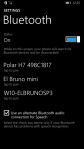
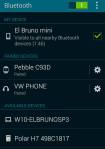
Bonus: Windows Phone and Android views of the device.
 El Bruno
Leave a comment