Hello!
You remember Bing Code Search? This addin which allowed you to search code on the internet and then insert it into your app C#? (I talked a little bit about the same in this post). Well, Flow is based on the same idea, and feel me that is a little more robust.
For example, if within the IDE can see in the upper right corner “FLOW” option, if we pressed on it and see the search bar, and also the position where the code that we report the results will be inserted.

The result of a simple search shows the code directly within the IDE (also ReSharper is responsible for solving everything else)
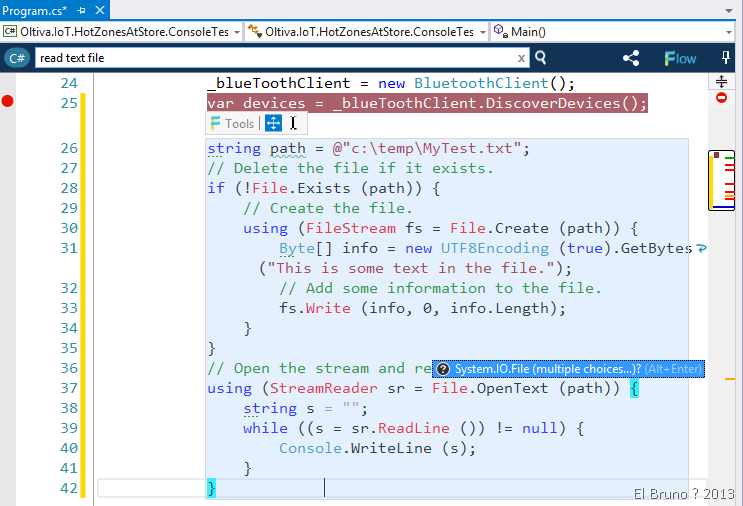
And ready, the truth is that I have used it on 5 min within a project Arduino and… well a char * string to be solved without having to open IE! 
By the way, I see on your home page that versions are available for Visual Studio 2010 and higher
Homepage: http://flowextension.com
Download: http://visualstudiogallery.msdn.microsoft.com/31fb1318-f5ab-4cd7-bdac-a71908715664
Bing Code Search AddIn: https://elbruno.com/2014/02/18/vs2013-bing-code-search-no-no-es-el-search-que-pensaste/
Saludos @ Home
El Bruno
 |
 |
 |
 El Bruno
Leave a comment