Hello!
Some time ago I wrote about the advantages and disadvantages of working with elastic equipment; among the advantages is the fact that the “new” people always have something to contribute! The main disadvantage is that you have to invest some time with “the new people” and explain the dynamics of operating equipment and help them to adapt to the way we work.
That’s why, if you invest time in automate the “mundane tasks”, you’ll invest less time explaining small details that give quality to the team. One great example is the correct management of the Assembly Version information for every update into an app. Almost 6 years ago I wrote one of the first posts on the subject, when he did this job very manual as part of a Build from Team Foundation Server 2008 (link).
Today in the current context of work I have the format of assemblies that we create is fairly simple:
[Major]. [Minor]. [yyMMdd]. [Increment]
And ready! with this information I can give me quickly an idea, the creation date and version of an app or dll. And clearly, as new ones have not noticed this, shot of this post for a first approximation.
And then also of this AddIn: Automatic Versions, which does almost everything I need.
On the one hand from the menu “Tools / / Automatic Version Settings”
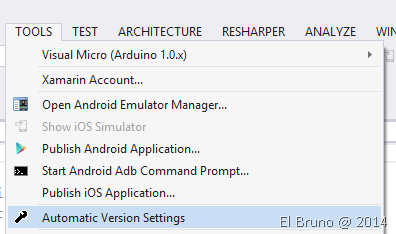
We can define the settings for our assemblies at global, solution or project. Within it, it is possible to see how I can indicate the changes I need.

And ready! When you need to increase the value, can launch it level project or solution with the contextual option “Build New Version”

In reality almost ready! because there appears to be a Bug in the AddIn, and I have asked the author if he can fix it or if I’ve understood it correctly! 
Download: http://visualstudiogallery.msdn.microsoft.com/dd8c5682-58a4-4c13-a0b4-9eadaba919fe?SRC=Home
Saludos @ Home
El Bruno
 |
 |
 |
 El Bruno
Leave a comment