Hello!
I’m still with the posts of BlueTooth with 32Feet, the truth is that you are giving me enough surprises and very nice some. The following code is a console that once app found one device Bluetooth that corresponds to a Windows Phone 8.1, is in charge to see if it is within a range of acceptable connection.
1: class Program
2: {
3: static void Main()
4: {
5: var wp = GetWindowsPhoneBtDevice();
6: Console.WriteLine("{0}Press any key to validate if device is in range, or ESC to close the app", Environment.NewLine);
7: bool exit;
8: var i = 0;
9: do
10: {
11: i++;
12: ValidateIfDeviceIsOnRange(i, wp);
13: var cki = Console.ReadKey(true);
14: exit = cki.Key == ConsoleKey.Escape;
15: } while (!exit);
16: }
17:
18: private static void ValidateIfDeviceIsOnRange(int i, BluetoothDeviceInfo wp)
19: {
20: Console.WriteLine(" " + i + " validating device in range");
21: var inRange = true;
22: var fakeUuid = new Guid("{F13F471D-47CB-41d6-9609-BAD0690BF891}"); // A specially created value, so no matches.
23: try
24: {
25: wp.GetServiceRecords(fakeUuid);
26: }
27: catch (SocketException)
28: {
29: inRange = false;
30: }
31: Console.WriteLine(" In range: " + inRange);
32: }
33:
34: private static BluetoothDeviceInfo GetWindowsPhoneBtDevice()
35: {
36: // You can get this from my previous post ...
37: }
38: }
The code is quite simple, and the truth is that the result is 100% acceptable. The following video shows my 1520 Lumia where I change the status of BlueTooth ON / OFF and then as console app checks the State and shows the true / false.
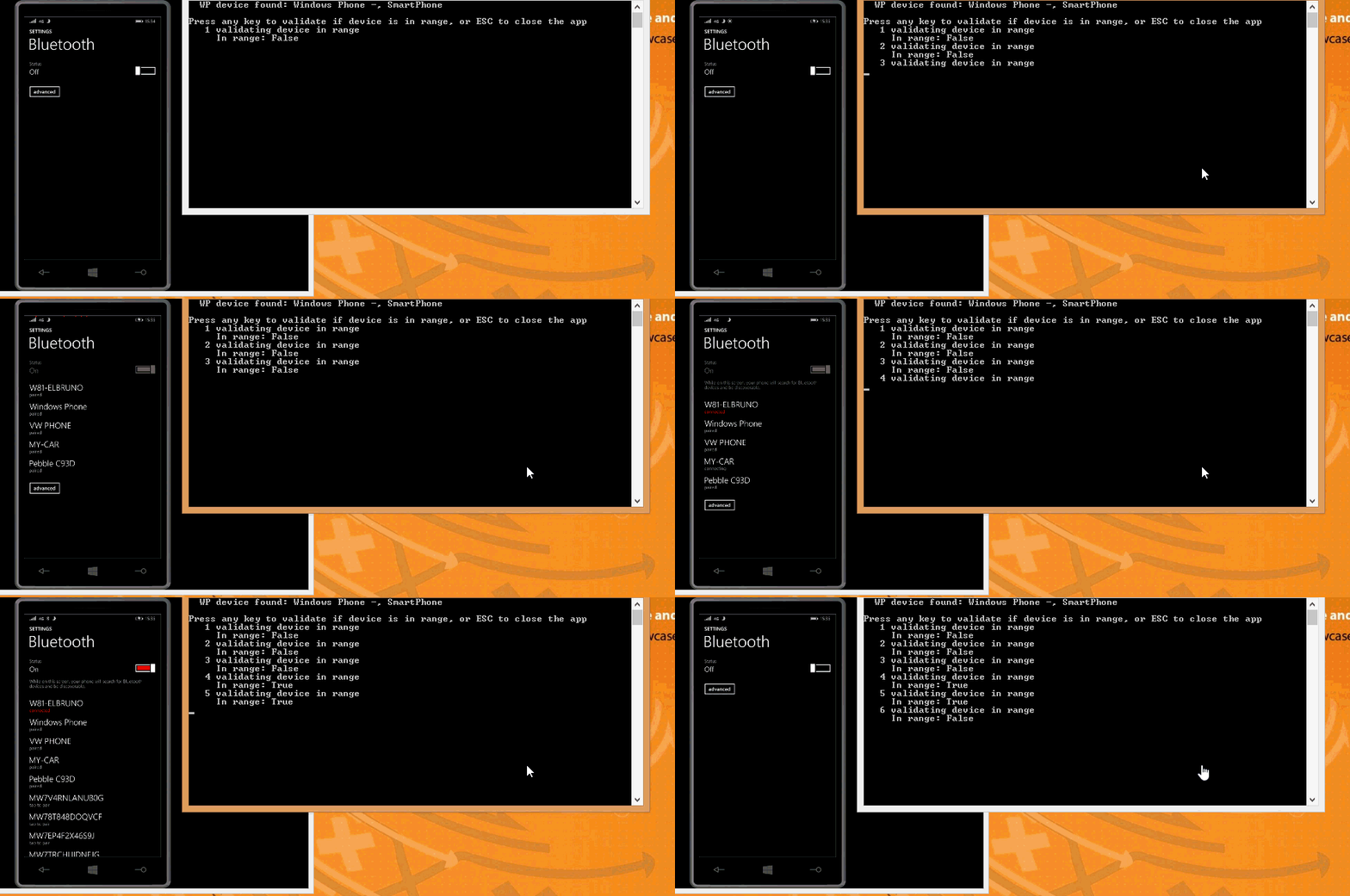
Note: each transaction discovery takes 5 seconds, which is not the fluid which I would like to this process.
Next step, this mature so that it is oriented to events!
Saludos @ AVE to Malaga
El Bruno
 |
 |
 |
 El Bruno
Leave a comment