
Hello!
a couple of weeks ago this extension would have saved me many headaches and tons of time. It basically allows you to do a merge of 2 changesets directly from the Team Explorer panel. That seems rather simple, but when you get to do it several times since the merge menu, you find yourself overwhelming.
Once installed we can see the new option “Merge candidates”
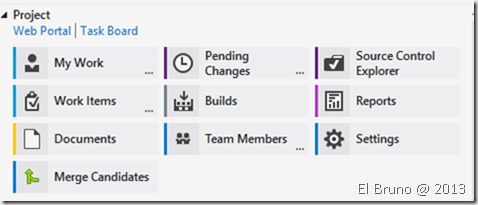
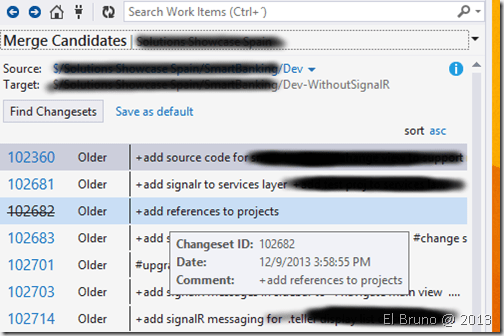
When you select this option, see a list of all the branches that we have in our TP (this option should improve a bit, especially when you have many branches). Then we select a branch, we see its related branches and we can already see the ChangeSets that we could use to make a merge.
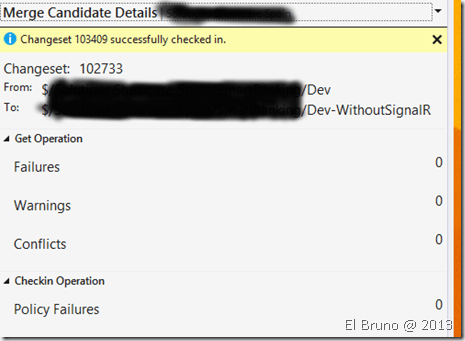
Now when we select the changeset that we will work, we will see the checkIn process starts. We can see the warnings, conflicts and failures in this action, or if we are lucky, everything is OK at the first
It is possible to download the source code of the extension from CodePlex at https://teamexplorerext.codeplex.com/, and there is also a version for Visual Studio 2012 in http://visualstudiogallery.msdn.microsoft.com/b54d49ea-ce4a-4fd6-8ba9-35f464f15575
Greetings @ Home
El Bruno


 El Bruno
Leave a comment