Hello!
I really like social networks. It has been only a couple of hours since I discovered the possibility of moving lines with Visual Studio 2013; and after this I had a tweet from Matt Ellis (@citizenmatt), explaining how to move lines using ReSharper.
In this case the combination of keys uses more fingers:
SHIFT + CTRL + ALT + UP (move up)
SHIFT + CTRL + ALT + DOWN (move down)
In both cases we achieved an effect such as the following
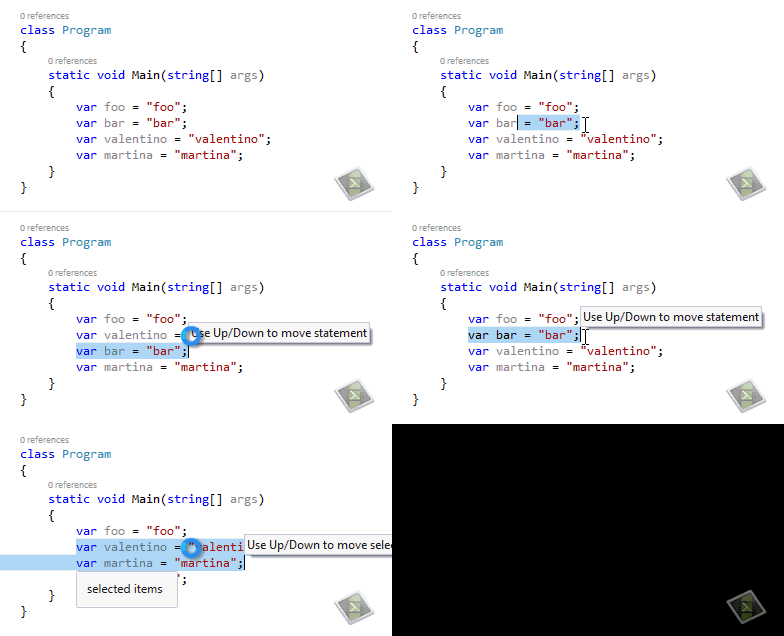
and of course, our ReSharper friend have some documentation for this !!!
Documentation; http://www.jetbrains.com/resharper/webhelp/Coding_Assistance__Moving_Code_Elements__Examples.html
Greetings @ La Finca
El Bruno


 El Bruno
Leave a comment